A menu suggestion is different from a saved meal
Daily menu in Nourri offers food ideas to consider. Your food diary shows meals you have chosen to save. Looking at a suggestion does not record that you ate it, and using Swap to change an idea is different from using Log to create a meal entry.
Use the menu to explore options, then log what you actually eat. Before choosing Log, check that the food and portion match your meal. If lunch turns out differently, record that lunch rather than saving the original suggestion simply because it was available.
1. Read the idea before choosing it
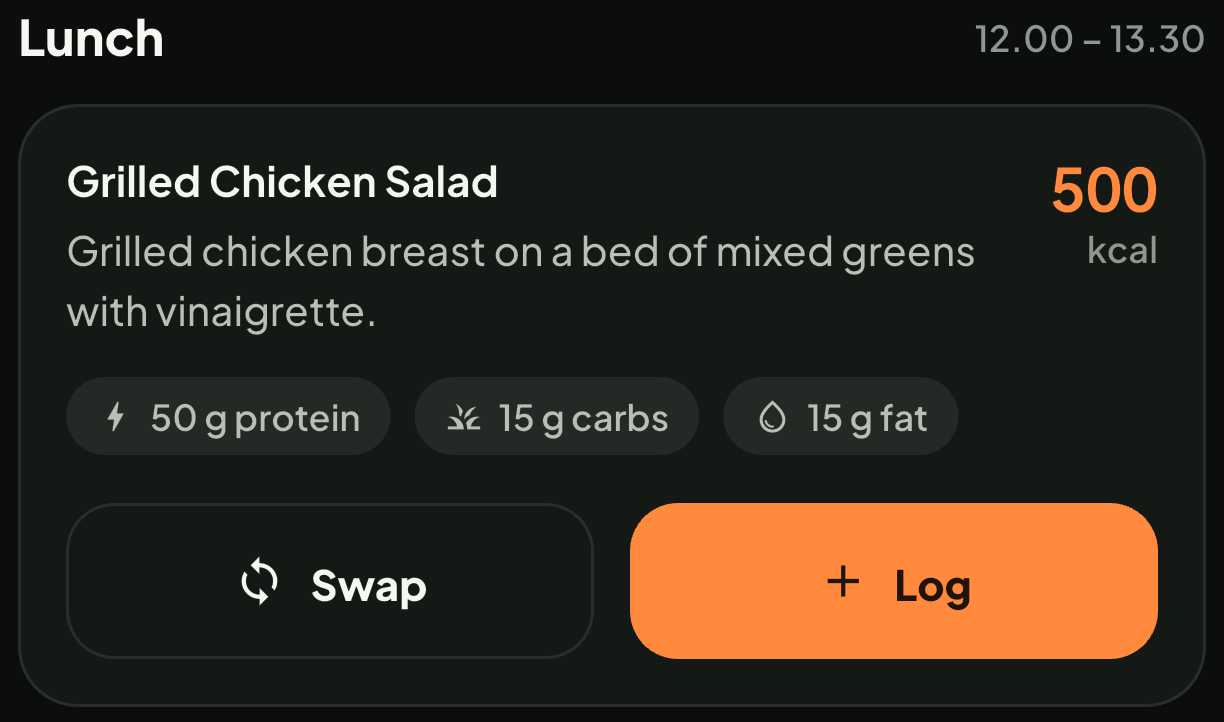
The original Daily menu screenshot shows a lunch card with a food name, description, estimated calories and macros, plus Swap and Log controls. Read the description as well as the name. A chicken salad can contain different ingredients, dressings and quantities from the one described on the screen.
The numbers and meal times belong to this app capture. They are not a universal calorie target, eating schedule or nutrition measurement for every dish with the same name. The screenshot demonstrates the controls; it does not establish the composition of your own lunch.
2. Use Swap to explore another option
Swap changes the suggested option in that meal slot. It can help when the first idea does not fit what is available or what you feel like preparing. You are still choosing an idea, rather than recording a meal as eaten.
Imagine planning a salad for a working day in London or Lyon, then picking up a sandwich and soup during your lunch break. There is no reason to preserve the salad in your diary just to match the plan. Keep the idea flexible and make the saved entry reflect what you actually had.
If your challenge is deciding what to buy for several days, our guide to weekday lunches with a short shopping list covers that separate planning step.
3. Use Log when the suggestion matches your meal
Log saves the menu option as a meal entry. Check it before pressing the button, because this action changes your diary. Once saving succeeds, open the meal log and review the entry.
A useful sequence is:
- Read the food name and ingredient description.
- Compare the portion with the amount you ate.
- Choose Log if the suggested meal is a suitable match.
- Review the saved entry and edit it if needed.
For a different dish, you can use the food-photo workflow: photograph it, review the estimate, adjust the available details and save. A scan result is not a saved meal until you save it. See how to log a mixed meal from a photo for the review steps.
4. Check Meals logged for saved entries
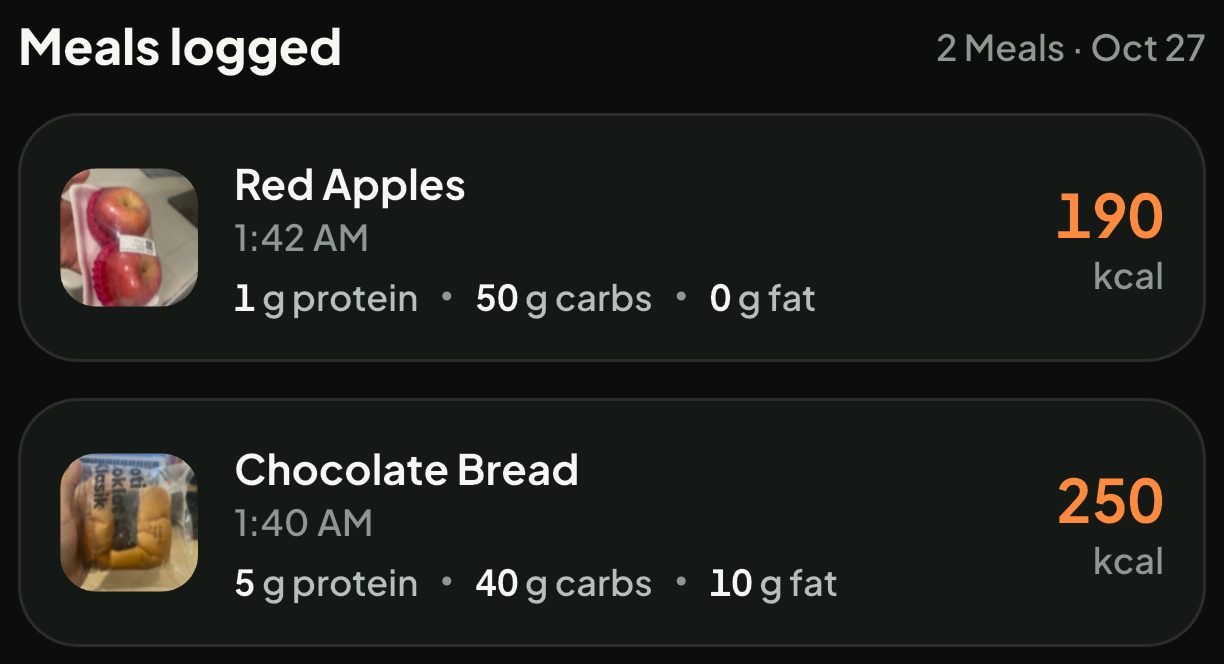
The Meals logged screenshot contains Red Apples and Chocolate Bread. Those are saved food entries, not suggested lunches. This image and the salad screenshot show separate views; they do not depict the salad being converted into apples or bread.
After eating, check that the food name and amount make sense for your meal. Also check whether you have already saved it. If you recorded lunch from a photo, review that entry before adding the same lunch again through Daily menu.
For quantity questions, read why changing a portion changes the calorie estimate. Calories and macros remain estimates. The value attached to a suggestion or a photograph is not a laboratory measurement of your food.
5. Keep conversation separate from confirmation
You can ask the Nutrition companion for ideas, but a suggestion in a conversation is not proof of a saved meal. Check Meals logged to see what you have recorded.
Try this with your next everyday meal: explore an idea if it helps, let the plan change when needed, then check the saved entry. Explore Nourri Nutrition or download Nourri on the App Store and Google Play.