From a photo to an estimate
A scan helps identify food and estimate portions, calories, protein, carbohydrates, and fat. Treat the result as a starting point to review, rather than a number that is always exact.
NOURRI NUTRITION
Snap a photo of your meal to get calorie, protein, carbohydrate, and fat estimates. Check the foods and portions, adjust the results, and save them to your daily food diary in Nourri Nutrition.
Nutrition and Active are available in one app on iPhone and Android.
Download Nourri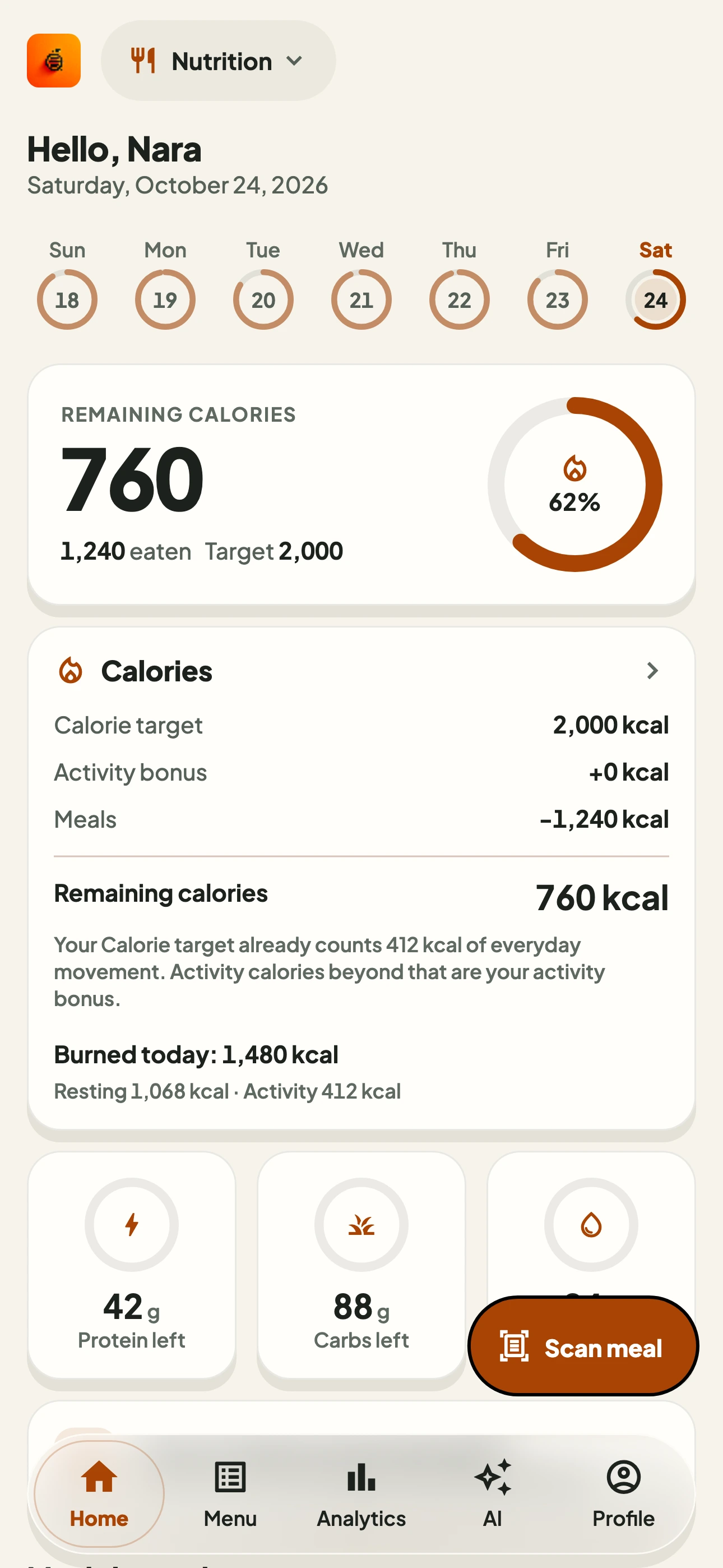
A scan helps identify food and estimate portions, calories, protein, carbohydrates, and fat. Treat the result as a starting point to review, rather than a number that is always exact.
Check the identified food and adjust the result before saving. A scan is not a food log entry until you save it. Correct portions or ingredients when they do not match what you ate.
Use saved meals to review your daily intake. Summaries, targets, and companion features depend on your app version. You can focus on your own nutrition logging without using Active.
GET STARTED
Sign in to Nourri and open Nutrition. In versions with Nutrition setup, complete the steps shown in the app. Take a clear photo with the main parts of your meal visible.
Check the scan: do the identified foods and estimated portions make sense? Sauces, oil, hidden ingredients, or parts of a dish outside the photo can affect the estimate.
Correct anything that does not match, then save the meal. Return to your daily summary to review saved entries. An unsaved photo is not the same as a logged meal.
Similar-looking meals can have different portions, ingredients, or preparation methods. A photo does not always reveal the amount of oil, sauce, or filling. Reviewing an entry helps provide better context.
Protein, carbohydrates, and fat are macronutrients shown as estimates from the food you log. The summary supports record keeping; it is not a health assessment or a judgment about a person.
Nourri supports general fitness and nutrition logging and does not replace a healthcare professional. For dietary needs related to a medical condition, follow advice from a professional familiar with your situation.
FAQ
No. Results are estimates affected by portions, ingredients, preparation methods, and photo quality. Review and adjust them before saving.
A scan is the result of analyzing a photo. A meal entry is created when you save a reviewed result. Taking a photo or viewing an estimate alone does not mean it has been added to your daily log.
Yes. Nourri Nutrition is available for iPhone on the App Store and Android on Google Play. Both versions also include the Active space for exercise logging.
The app is free to download and offers in-app purchases. AI usage limits, paid features, and prices follow the app version and store. Review the details shown before purchasing.
No. You can use Nutrition on its own. Active is available on Android and iPhone if you also want to record exercise.
Take a food photo and use a Nutrition scan to get an estimate. Check the foods, portions, and ingredients that may not be visible. Adjust the results before saving to your daily food diary; a photo does not produce an exact calorie measurement.
NOURRI · NUTRITION
Download Nourri on Android or iPhone and start logging your meals today.
Nutrition and Active are available in one app on iPhone and Android.